Notepad vs Notion vs mysnipbox: Where Should You Keep Your Midjourney & ComfyUI Prompts?
Published October 28, 2026 · 6 min read
Every prompt collection starts the same way: you paste a good one into a note so you won't lose it. At 20 prompts that works fine. At 200 you spend more time searching than creating.
This is a fair comparison of three places to keep prompts: a plain notes app, a Notion database and a tag-based vault (mysnipbox). Each one wins somewhere, so the goal is to match the tool to how you actually work.
Why long pasted prompts stop working
- 1Swapping one idea breaks the rest. You want the same look with a different subject. The subject words sit in the middle of a 60-word paragraph, so you edit by hand and then repair the commas.
- 2You can't ask the pile a question. "Which of my prompts used rim light?" is a text search that only finds the exact spelling you happened to type.
- 3One idea, five spellings.
soft light,soft lighting,softbox light... Counts and filters quietly lie. - 4The picture lives somewhere else. The prompt is in a note, the result is in a folder, and the link between them is your memory.
- 5Nothing is reusable on its own. A prompt is one string. To take its lighting, you copy all of it and delete the rest.
ultra detailed portrait of a woman in a black turtleneck, soft studio diffusion, shallow depth of field, 85mm lens, neutral gray backdrop, subtle film grain, muted palette, direct gaze --ar 4:5 --style raw
Notepad, Notion and a tag vault, side by side
| Notes app / text file | Notion database | mysnipbox | |
|---|---|---|---|
| Best at | Zero setup, works everywhere | Team sharing, comments, flexible databases and templates | Reusing parts of prompts and filtering by what is in the image |
| Find prompts by what they contain | Text search only | Search plus properties and tags you fill in by hand | Tags come from decomposing the image; filter by one or several |
| Change one part, keep the rest | Edit inside the paragraph | Edit inside the text, or build properties and formulas yourself | Tags sit in category rows; swap one, or use {variable} slots |
| Image next to its prompt | Separate files | Possible: upload or embed images | Built in: each image keeps its tags |
| Consistent structure | None | You design it | Six fixed categories |
| Where the data lives | Your device | Notion's cloud | Your device |
| Working with a team | Share files | Built for it | Built for one person's library, not real-time team editing |
| Platforms | Anywhere | Web, desktop and mobile | macOS and Windows desktop |
| Cost | Free | Free plan; paid plans for more (check Notion's pricing) | One-time license, no subscription; cloud analysis is billed by your own API provider, local models are free |
Honest take: if you keep a few dozen prompts, or you work with a team that comments on and shares them, a Notion database is the better tool. mysnipbox is for the other situation, when you rebuild prompts from parts.
What a Notion prompt database does well, and where it stops
A good Notion setup has a row per prompt, properties for model and style (a multi-select works well), and a gallery view with a cover image. That already beats a flat note, and nothing here asks you to leave it.
It stops at the prompt body. The prompt is still one text block, so changing the subject means editing text. Multi-select options drift over time, and building a prompt from parts needs formulas that you write and maintain. Notion is a general tool; it doesn't know what a lighting token is.
What a tag vault changes
In mysnipbox, an image is analyzed once and its tags are sorted into six categories (subject, style, pose and framing, details, environment, lighting). From then on:
- Filter by what an image contains. The tag bar lists every tag in your Vault with how many images use it; click one or several to narrow the gallery.
- Assemble instead of rewrite. Click tags into the Prompt Basket, reorder them, and copy the finished prompt. See Prompt Basket & templates.
- Variables for the parts that change. Add
{subject}or{color}slots, fill them in once and every use updates. Save a basket as a template when a look is worth keeping. - See your own habits. Tag Insights shows which tags you use most and which ones travel together.
Inspector · Subject
Prompt Output
a {subject} forging a blade in a dim workshop, wearing a {color} leather apron, cinematic lighting, 35mm lens, volumetric fog, hyperdetailed
Swap {subject} and {color} per render — everything else in the template stays locked.
{variable} slots come together in the Prompt Basket, with the assembled prompt shown below.- studio portrait21
pastel color palette
Used in 31 images
Frequently paired with
- soft drop shadow 19%
- centered composition 12%
- cursive script font 10%
- 3d digital rendering 9%
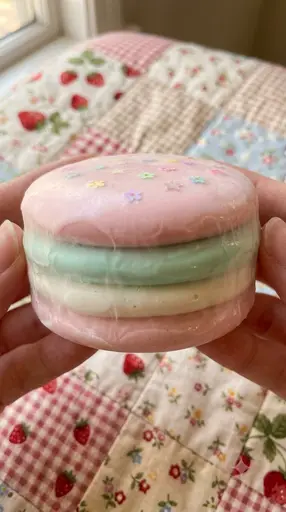
Example images

- +28 more
Which one should you use?
- A few dozen prompts, one model, no reference images: a notes app or a Notion page is enough.
- A team that comments on and shares prompts: Notion.
- Hundreds of references, and you rebuild prompts from parts: a tag vault.
- Both: keep project notes and briefs in Notion and the building blocks in the vault. They don't conflict.
Moving your pile over
Don't try to port every old prompt. The part worth keeping is the image and the look it represents. Start with the 20 references you reuse most: drop them into the Vault, let them be decomposed, and keep the rest in your notes. Everything stays on your computer; local models keep the analysis on your machine too.
Summary
Notes apps and Notion are great until a prompt has to be taken apart and put back together. If that's your daily work, a tag-based vault saves the hunting. Download mysnipbox for macOS & Windows, or try the flow with sample images in the browser demo.