Take any AI image apart, token by token.
Drop a reference from Flux.1, Midjourney v6 or SDXL. mysnipbox decomposes it into atomic prompt tokens with precise metadata — subject, material, camera, lighting science, down to the micro-hardware.
⌘Vpaste an image anywhere in the app to decompose it
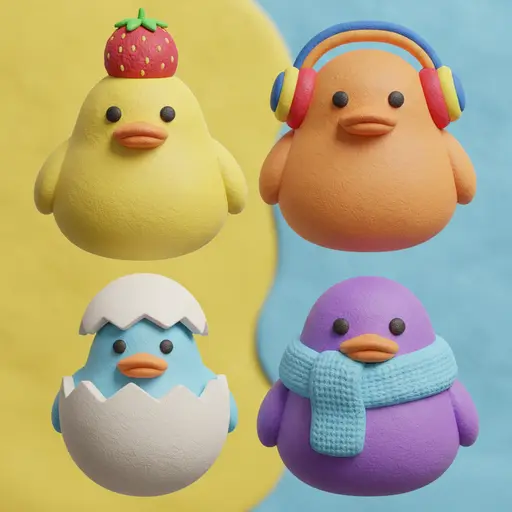
four cute duck characters, claymation texture, facing forward, colorful overhead headphones, split yellow and blue background, vibrant pastel palette
- atomic categories
- 6 atomic categories
- granularity levels
- 3 granularity levels
- local cache
- 100% local cache
Built to decode
- Flux.1
- Midjourney v6
- SDXL
- ComfyUI
- Automatic1111
- Stable Diffusion 3
Try the real decomposition flow, right in your browser.
The web demo mirrors the desktop app's layout: filter a curated gallery by tag, open a reference to see it broken into six atomic categories, click tags into a Prompt Basket, and copy a ready-to-use prompt, with the word connector you pick: comma, underscore or hyphen. Runs entirely in your session — drop in your own image to try it live.
Open the interactive demo

Precision controls, not a black box.
Three of the things you actually touch every session. Try each one.
Compact tag syntax says the same thing in ~60% fewer tokens.
A verbose description and a compact tag string carry identical control — subject, materials, optics, hardware. Rule-based prompt assembly just drops the connective tissue a model doesn't need, so every generation costs less.
Compact tag syntax says the same thing in ~60% fewer tokens.
A verbose description and a compact tag string carry identical control — subject, materials, optics, hardware. Rule-based prompt assembly just drops the connective tissue a model doesn't need, so every generation costs less.
structured top-handle handbag, travertine plinth, saffiano leather, matte pebbled grain, gold lobster clasp, hand-painted edge coating, three-quarter product angle, 85mm macro f/8, soft key light, gradient rim, controlled specular rolloff, editorial studio photography, muted warm palette
−59% tokens for the same control — currently showing 41% of the verbose cost.
Discover perfect prompt combinations with your own Tag Insights
Visually analyze the style tags in your collection and how often they're used together (co-occurrence), then combine them into a new prompt in one click.
- studio portrait21
pastel color palette
Used in 31 images
Frequently paired with
- soft drop shadow 19%
- centered composition 12%
- cursive script font 10%
- 3d digital rendering 9%
Example images
- +28 more
Prompt pairings, surfaced
Click any tag to see which tags it's most often used with — a ready source of ideas for expanding your prompt.
See it, don't guess
Instantly view thumbnails from your library showing how a tag actually renders.
Organized by category
Browse tags in an accordion tree — Subject, Facial Features, Skin & Makeup, Attire & Details, and more.
One click to the basket
Add a tag combination to your prompt basket, or copy it, with a single click.
Turn repetitive prompts into templates, dynamic ideas into single slots.
Organize fixed styles, lighting, and camera angles by category. Drop in {variable} slots anywhere to assemble modular prompt blocks in seconds.
Free-form variable slots ({variable})
Place a variable slot anywhere in a prompt — start, middle, or end. A vivid violet signature chip makes it instantly distinct from an ordinary tag.
Category-based tag organizer
Sort into Subject, Style, Lighting, Camera, or spin up a custom category on the spot. Drag and drop to rearrange freely, with no fixed category boundaries.
Smart Basket ↔ template sync
Save the prompt you're building as a template in one click, or load a saved template straight into the basket (replace or append). Full Undo keeps every combination safe.
One-click format conversion
Instantly reorder your tags with the word connector you want — comma, underscore (_) or hyphen (-) — and paste them straight into any generator.
Inspector · Subject
Prompt Output
a {subject} forging a blade in a dim workshop, wearing a {color} leather apron, cinematic lighting, 35mm lens, volumetric fog, hyperdetailed
Swap {subject} and {color} per render — everything else in the template stays locked.
Buy once, own forever.
One perpetual license, 50% off during the launch window. No recurring subscription — bring your own model key, and we never add a markup to your usage.
Pay once, own forever
A perpetual license. Every install you make is yours to keep.
Zero recurring subscription
No monthly fee, no seat renewals, no feature paywall creep.
Bring Your Own Key — zero mark-up
Your OpenAI / Claude / Gemini key is billed by them, at their price. We add nothing.
mysnipbox
50% OFF · Early BirdEverything mysnipbox offers — one plan, no tiers to choose between.
One-time payment — yours for life, no monthly fee
- Unlimited use for personal and commercial projects
- Automatic sync with local drives and cloud folders
- Unlimited prompt templates and the variable-assembly studio
- 100% local privacy with direct, BYOK AI calls
- Activate on up to 2 devices at once
- All future updates, free for life
14-day, no-questions-asked full refund
mysnipbox doesn't offer a free trial — instead, you get full, unrestricted access to every feature for 14 days after purchase. If it's not for you, we'll refund you in full, no questions asked. Refunds are limited to one per customer, and requests sent by email are handled in the order they arrive, which can take some time.
How Bring Your Own Key (BYOK) works
Register your own OpenAI, Anthropic (Claude), or Google (Gemini) API key in the app. It's encrypted and stored in your OS's secure keychain, and every API request goes straight from your machine to the model provider — no external proxy server in between. mysnipbox never adds any margin or fee to your API calls.
Encrypted in your OS keychain
Your API key is never sent to an external server — it's stored securely in your local keychain only.
0% markup — pay provider rates
Token costs are billed to your own account at the provider's (OpenAI, Anthropic, etc.) exact rate.
Direct device-to-AI
A direct 1:1 call between the app and the model provider — no proxy hop, no added latency.
Runs on your machine, your keys, your models.
A lightweight Tauri desktop app. Bring a cloud key or point it at a local model — nothing leaves your device except the model calls you configure.
Platforms
01Tauri-based — native webview, no bundled Chromium.
- macOS
- 12 Monterey or later · Apple Silicon + Intel
- Windows
- 10 / 11 · x64
- Installer
- ≈ 8 MB · no runtime to install
- Idle memory
- ≈ 120 MB
Models — cloud (BYOK)
02Your key, your bill, zero mark-up.
- OpenAI
- GPT-4o / o-series vision
- Anthropic
- Claude (vision-capable models)
- Gemini 1.5 / 2.x
- Custom base URL
- Azure · vLLM · proxies (Pro)
Models — local
03Fully offline decomposition path.
- Runtime
- Ollama (local endpoint)
- Recommended
- Vision models — qwen2-vl, llava, moondream
- Network
- No external calls when local model is selected
- Fallback
- Auto-switch to cloud key if configured
Storage & privacy
04Everything stays on your disk unless you export it.
- Cache
- Local SQLite · user-chosen location
- Export
- Prompt templates (JSON) · Tag Insights data (CSV) · packed-string clipboard
- API keys
- OS keychain (Keychain / Credential Manager)
- Telemetry
- Off by default · images never reach our servers
Questions, answered.
Platform support, what stays local, how licensing and keys work.
Still stuck? Email us at [email protected].
mysnipbox is a desktop app for Windows 10/11 (x64) and macOS 12+ (Apple Silicon and Intel). It's built on Tauri, so the installer is small and it stays light on memory. There is no web, mobile, or Linux build yet.
With a cloud AI provider, your images are sent directly to the provider you choose (Google, OpenAI, etc.) and never pass through our servers. If you want fully offline processing, you can use a local Ollama model.
Decomposition results, token maps, and multilingual translations, in a SQLite database on your disk. You choose where it lives. You can export your prompt templates as JSON and your Tag Insights data as CSV.
Tag translation is separate from the app's interface language. Pick any target language in the Tag translation settings: a quick list covers Korean, English, Japanese, Simplified and Traditional Chinese, Spanish and Portuguese, and a searchable list covers many more. Translation runs through your own cloud key or a local Ollama text model, and the English tags you copy never change.
You paste your own OpenAI, Anthropic (Claude), or Google (Gemini) API key. It's stored in your OS keychain and used directly from your machine. Your provider bills you at their rate; mysnipbox takes zero mark-up and never proxies the call.
Yes. Point the app at a local Ollama endpoint and every decomposition runs on-device with no external calls. A vision-capable local model is recommended for the best material and hardware detail.
Yes — pay once, own forever. No subscription, no seat renewals. Your license includes feature updates within the major version you bought.
Yes. The single mysnipbox license covers personal and commercial projects alike — there's no separate commercial tier — and it activates on up to 2 devices at once.
There's a 14-day, no-questions-asked refund. If the decomposition quality isn't there for your workflow, email us and we'll refund the license. Requests are handled in the order received, so please allow some time, and the refund is available once per customer.